Download for Mac or Windows
Install Ramsha Docs on the computer. Not a website and not a phone app.
macOSWindows
Open, edit, merge, and sign PDFs and documents on your computer. Files stay on your device. Nothing is uploaded to the internet.
Start free. No credit card.
Available for Windows and macOS
Download → Open your files → Get to work
A desktop program · Mac and Windows
Ramsha Docs is a program you install on the computer — not a website and not a phone app. Open contracts, photos, and PDFs, sign them, keep one folder per client, and get deadline reminders. Files stay on your machine. Free to start, in any country.
Starter is free — no card. Sign in to unlock client folders, signatures, and reminders. Upgrade later only if you want more.
An open client file
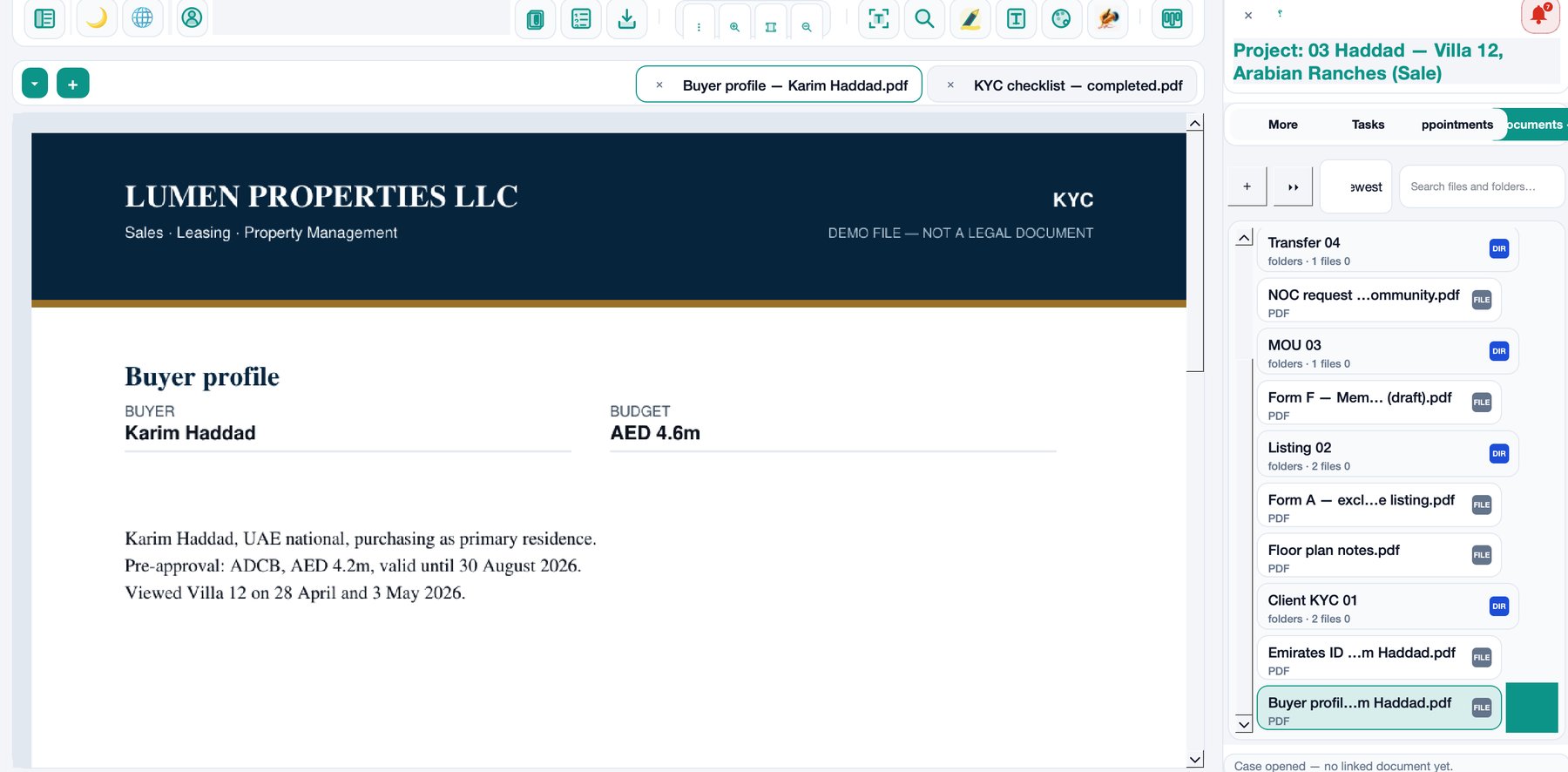
Folders, tabs, and the page in front of you
An open client file: the profile on the page, case folders on the side, and another document still open in a second tab.
One client folder — files stay on this computer
Product walkthrough
A short walkthrough of organizing client files and contracts in Ramsha Docs — on your computer, without cloud exposure.
Product walkthrough
Ramsha Docs walkthrough — organize client files and contracts
Learn how Ramsha Docs helps legal, real estate, and corporate teams organize complex client files and contracts effortlessly.
Tutorial series
This walkthrough is the starting point. Feature clips for import, pages, and signing will appear here as they go live.
Your office type
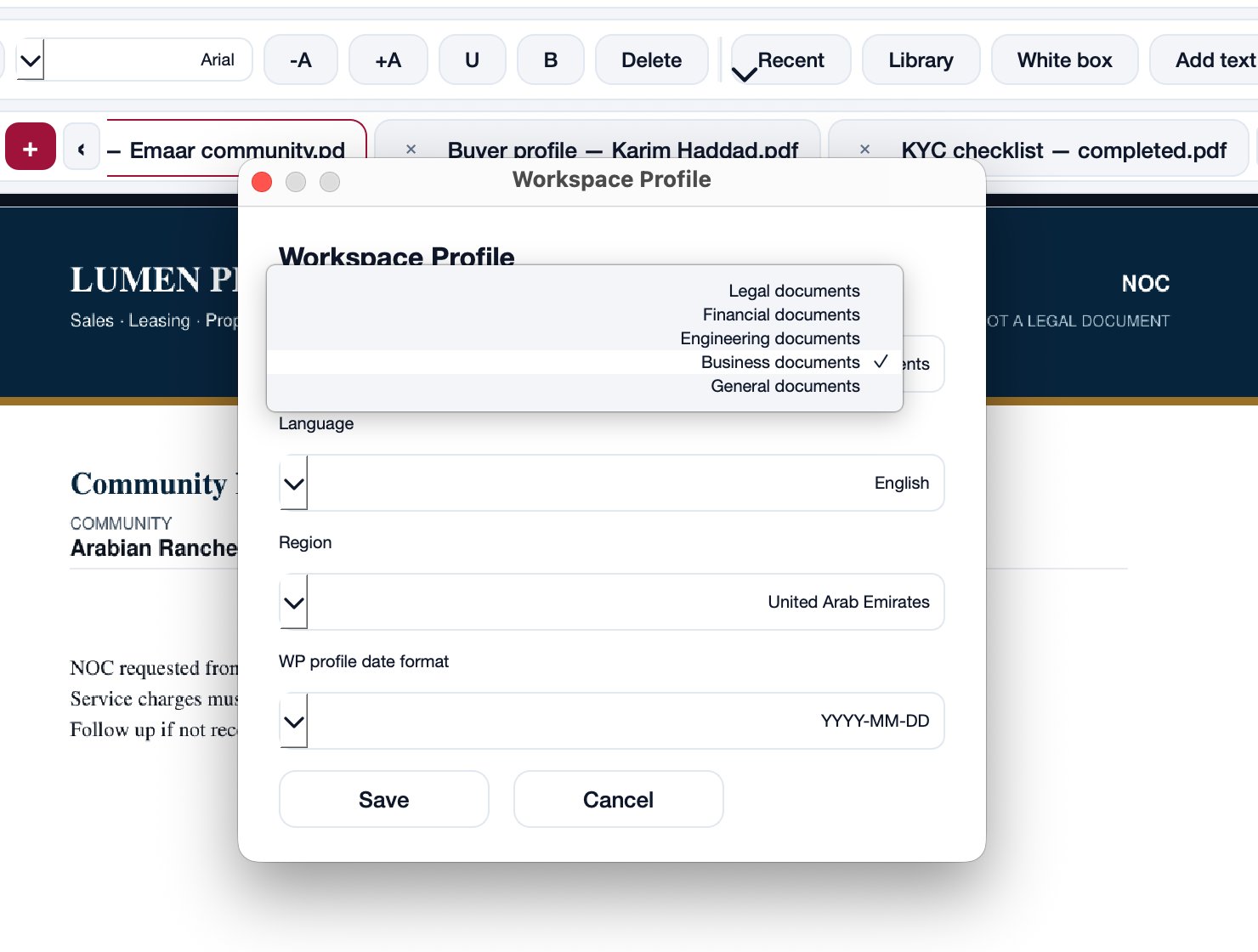
One program for everyone. When you open it, pick your office: law, finance, engineering, business, or general. Menus and folders change to match your work.
Law
For a law office: one folder per client, several files open at once, each case in its own window.
Choose your kind of work
Pick office type, language, and country. The program adapts to how you work.
How it works
Download, open a file, and keep working. Starter is free with no card. Upgrade only if you need more devices or limits removed.
The free account is the product. Paid plans are an upgrade later — never required to start.
Install Ramsha Docs on the computer. Not a website and not a phone app.
Open a PDF or contract immediately. Create an account later when you want a folder per client.
On paid plans
From the program you email a PDF link. The other person opens it in the browser, signs with a finger or a saved signature image, and the signed file comes back. This is for a law office, an accounting office, a brokerage, or a company. The other person installs nothing.
This is an ordinary electronic signature, not a certified signature. A will, an affidavit, a notarial power of attorney, an enduring power of attorney, or a land-registry deed is not sent this way.
Paid plansInside an open case
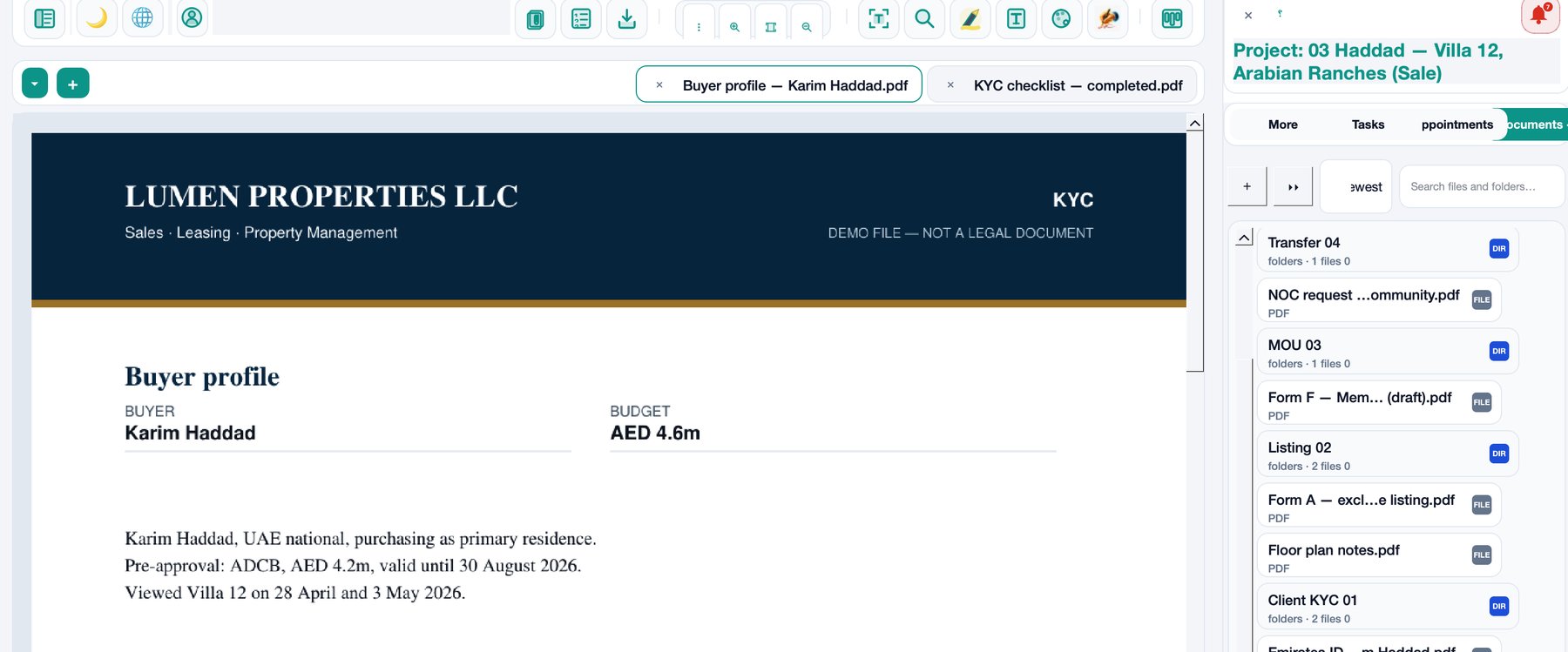
Keep the buyer profile, the NOC, and the KYC checklist open. Switch files without leaving the case.
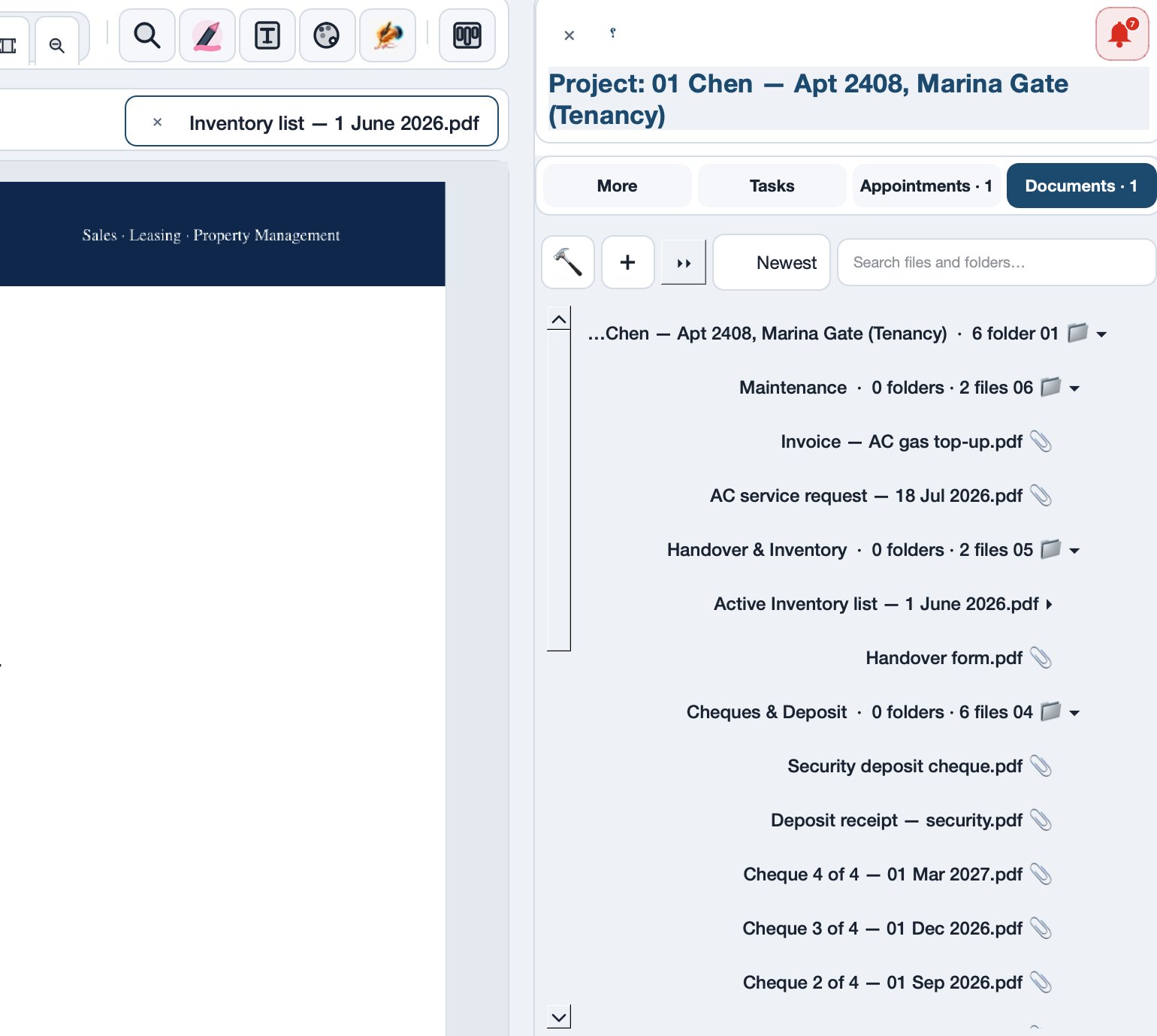
Fold the whole directory in one click. Expand only the drawer you need — Maintenance, Cheques, KYC.
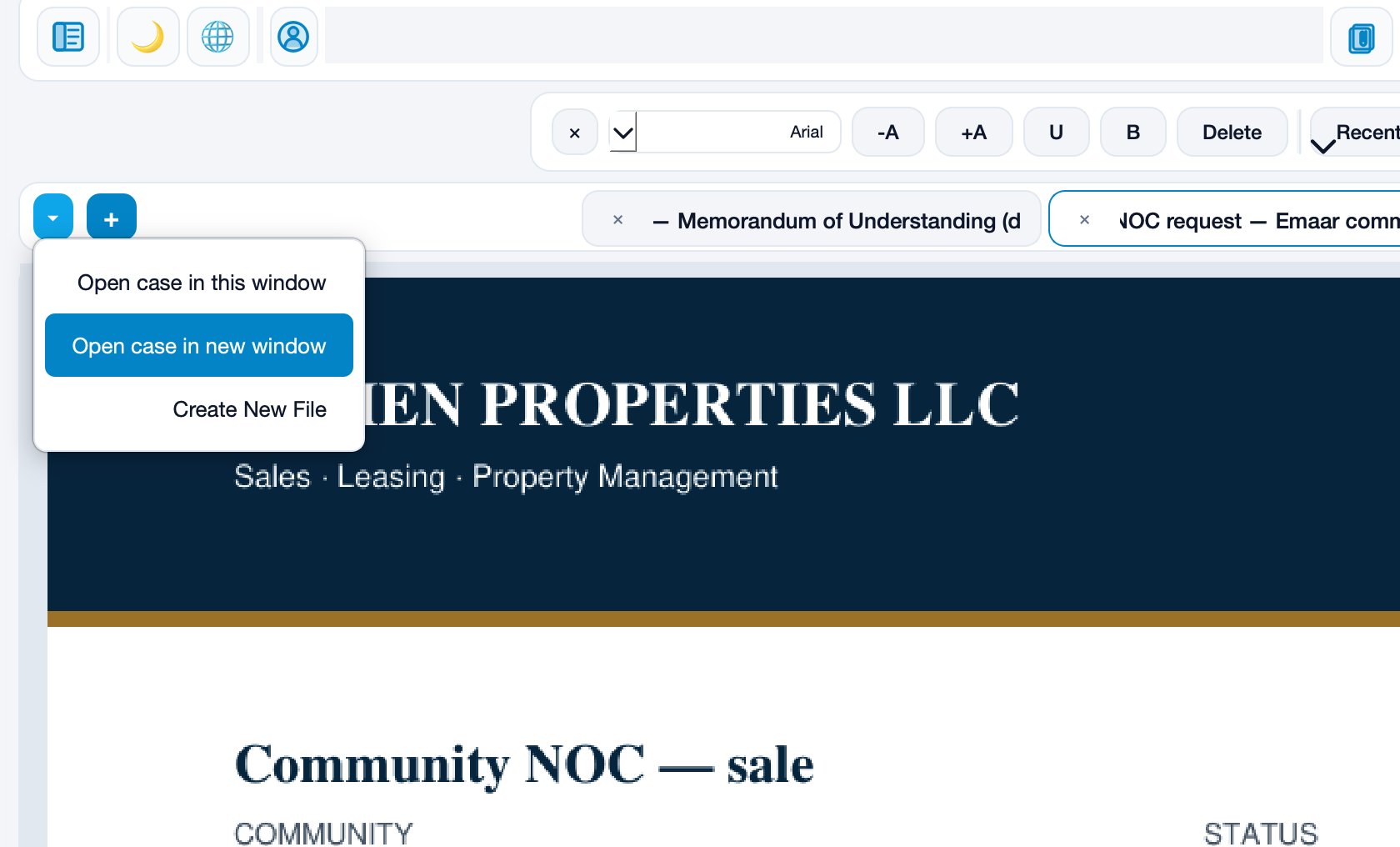
Open another case in a new window — keep one client on screen while you work the next.
Inside the app
Real screens from Ramsha Docs — an office file on the computer, not a mockup.
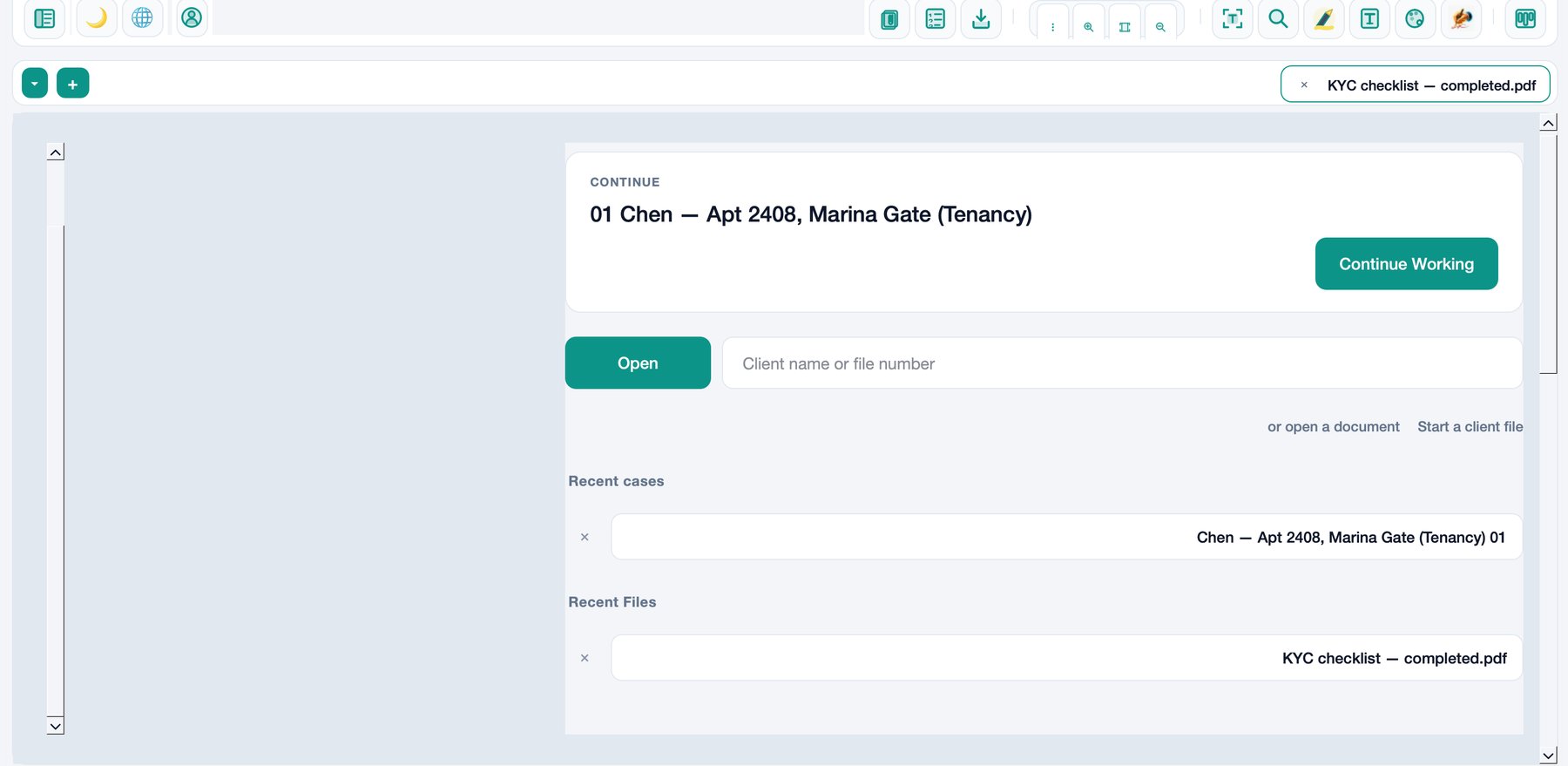
The home screen brings back the last client file. Search by name or file number, or open a recent case in one click.
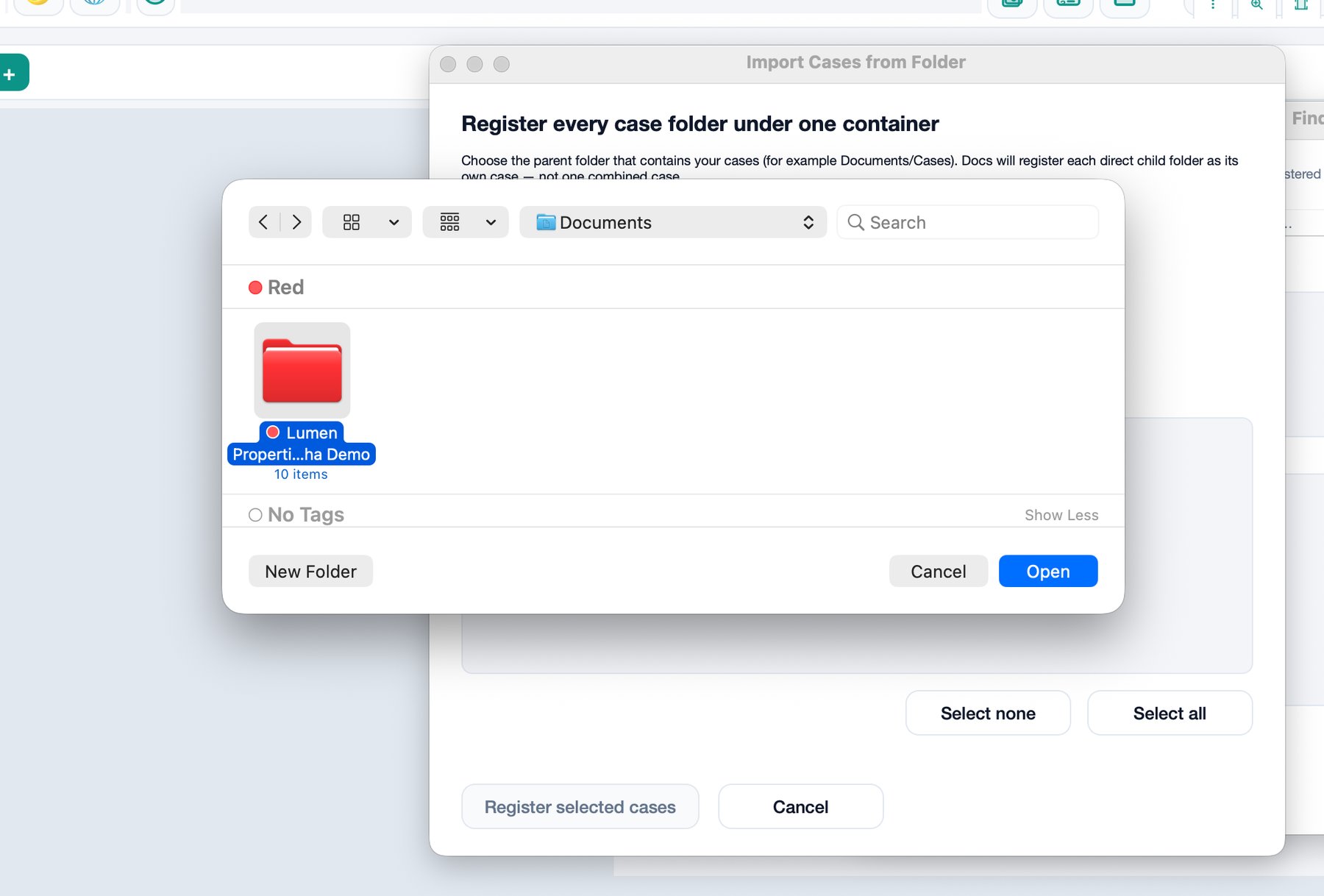
Point Docs at the parent folder on your Mac or Windows PC. Each child folder becomes its own case. Files stay on your disk.
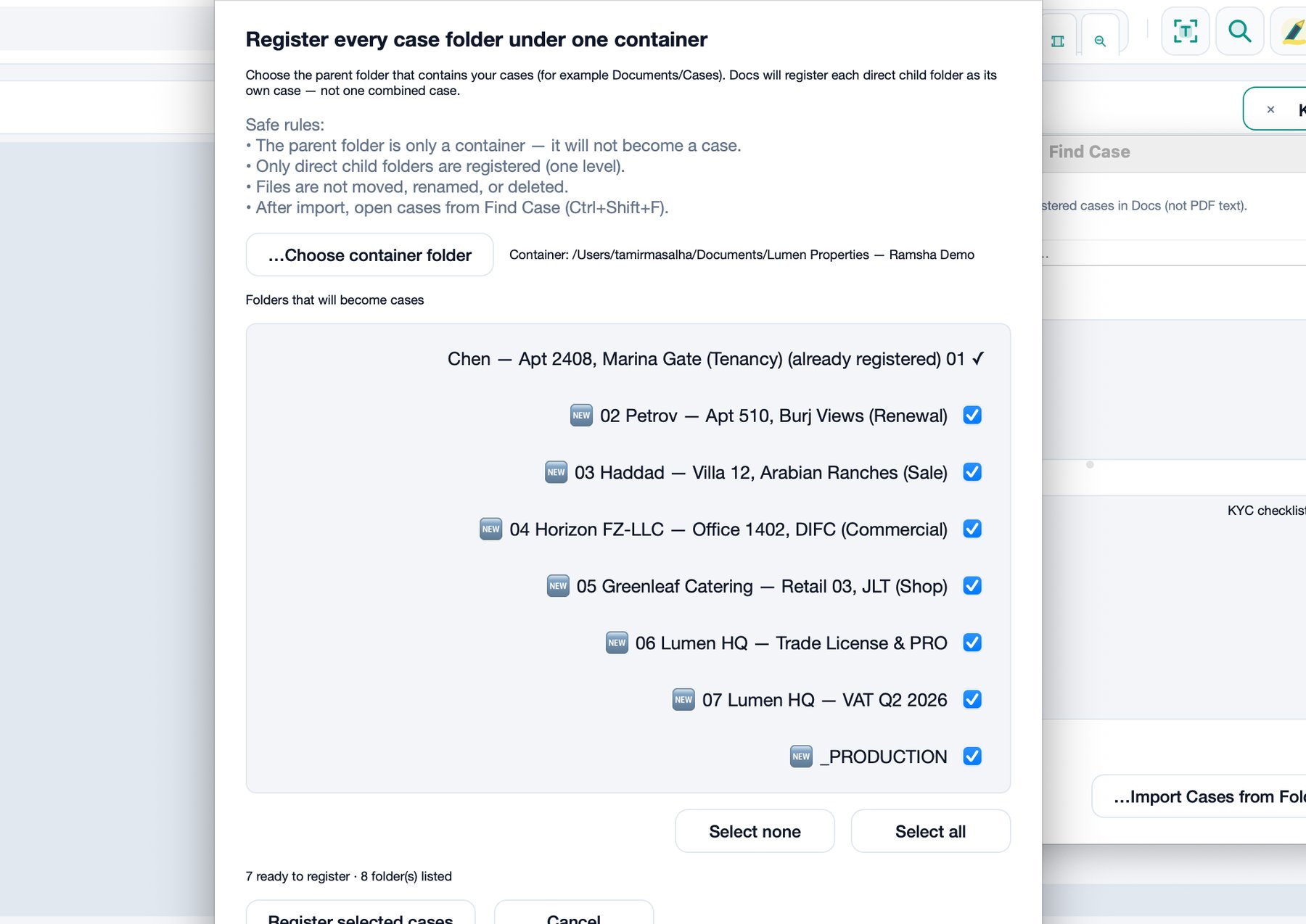
Docs lists every folder it found. Tick the new ones, skip those already registered. Nothing is uploaded or renamed.
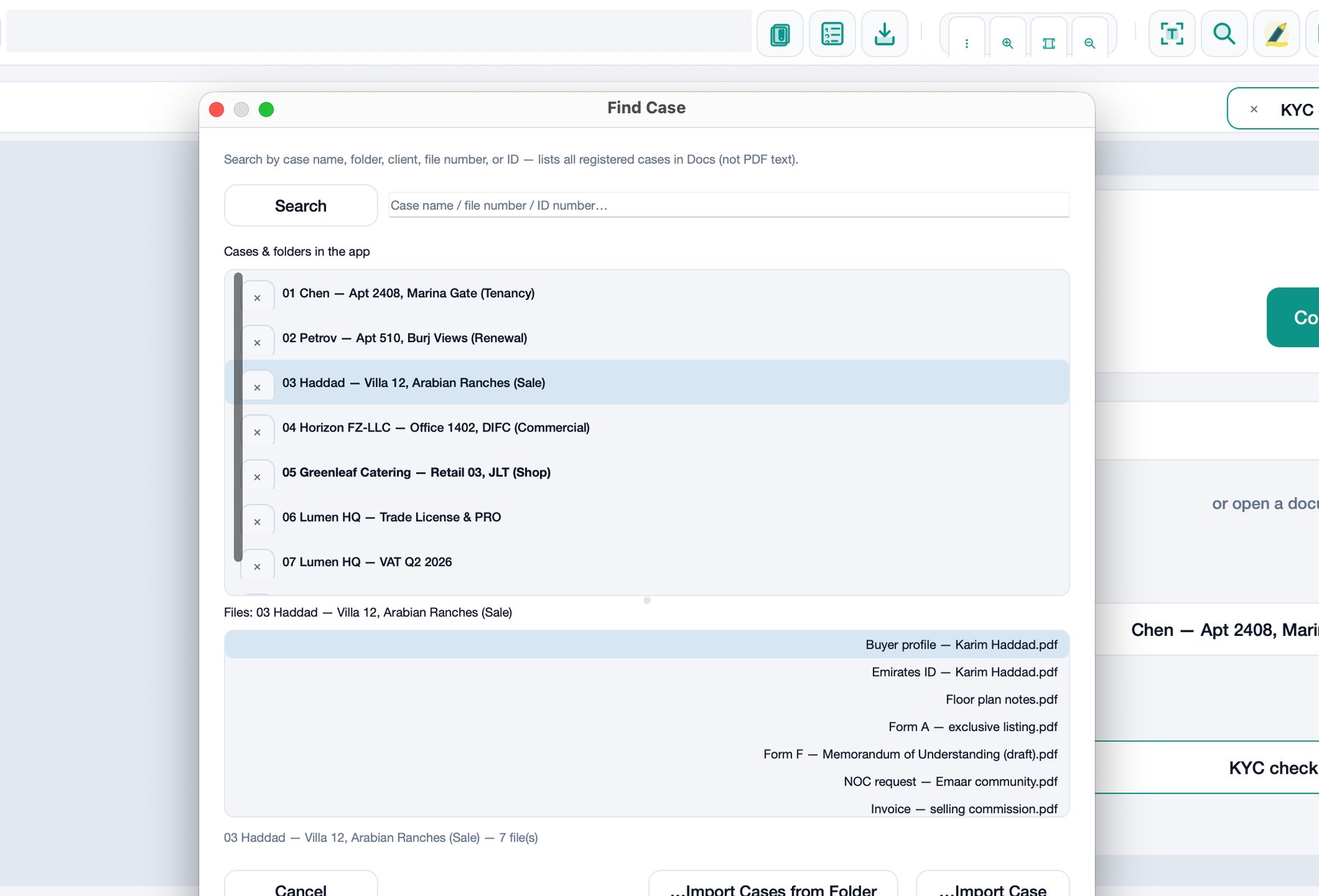
Search by name, unit, or file number. The lower list shows the PDFs inside that case — IDs, contracts, annexes — then open one.
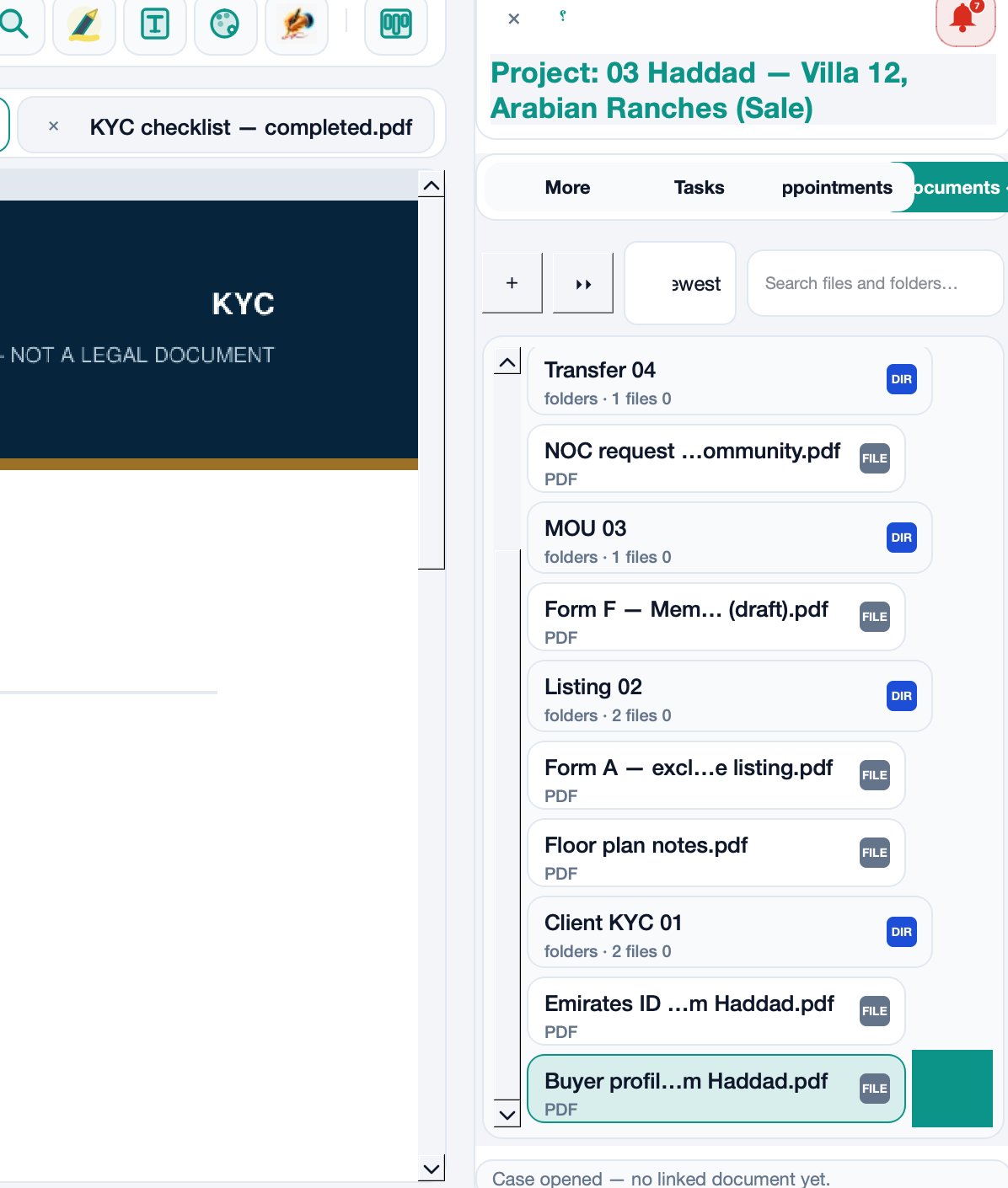
The Documents drawer keeps KYC, listing, MOU, and transfer in order. Click a PDF and it opens beside the folders.
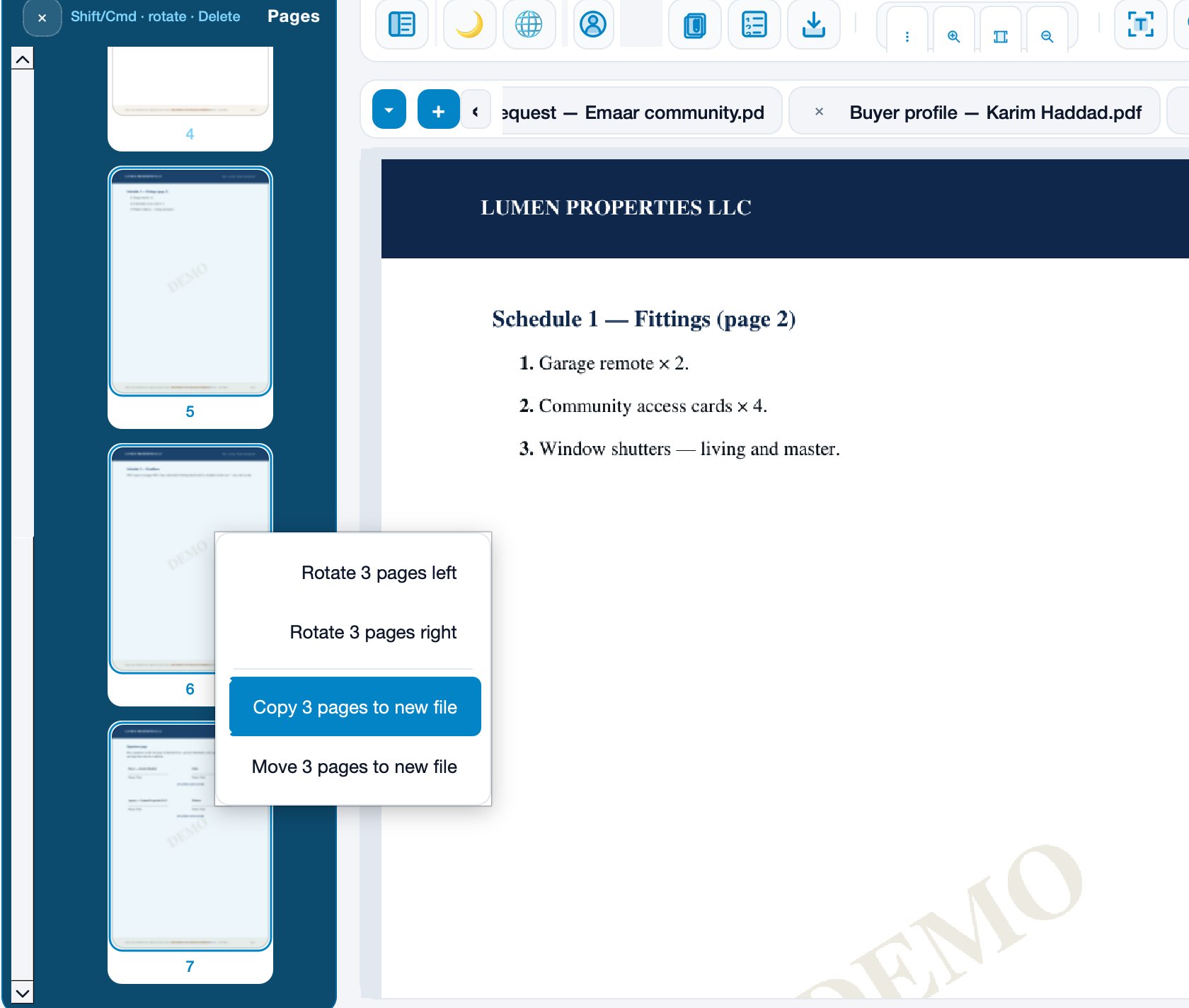
Select pages in the left rail. Copy or move them into a new PDF without leaving the case — useful for a fittings schedule or an annex.
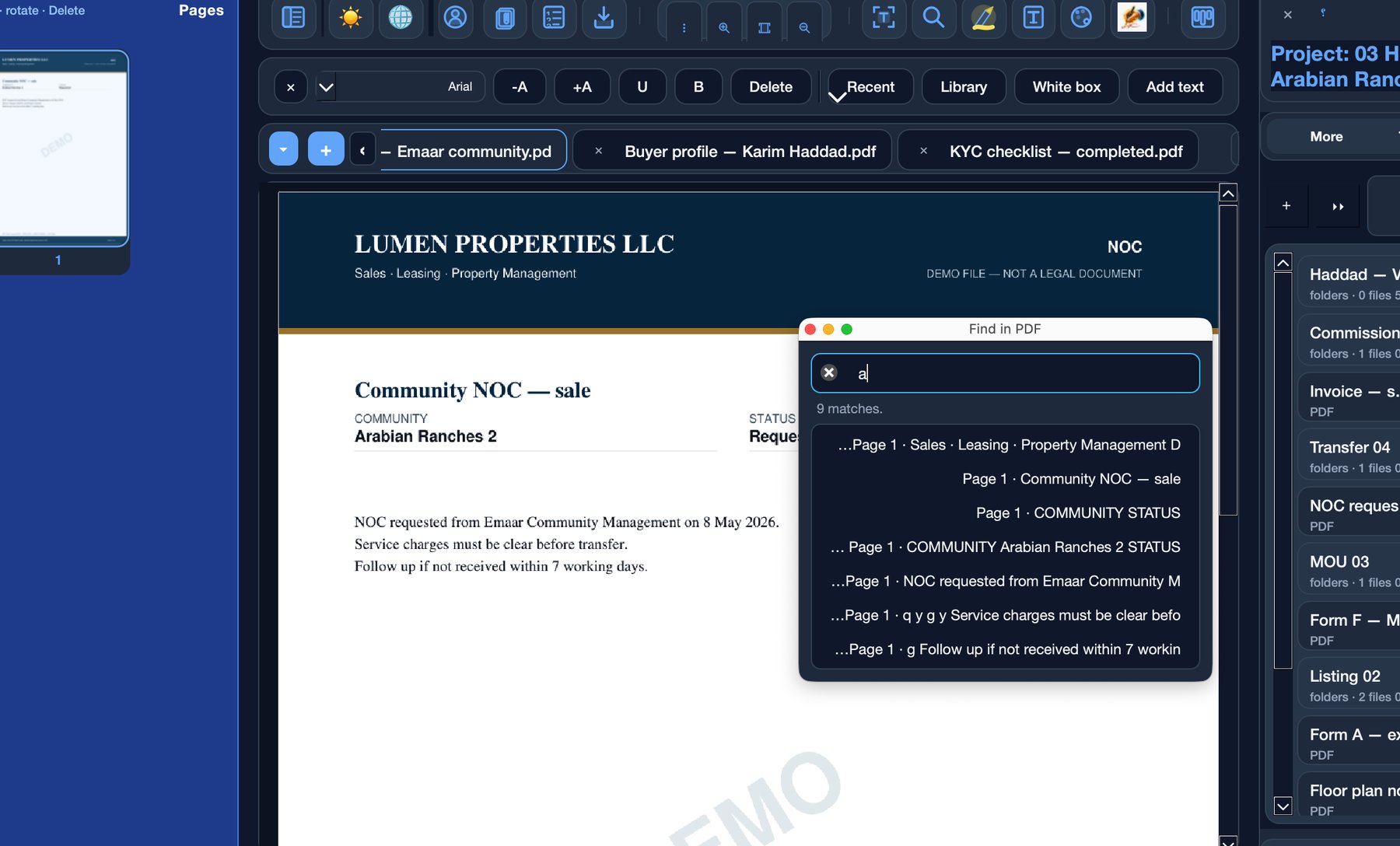
Search the open document, not just the file name. Jump to each match on the page — clauses, names, or a community NOC line.
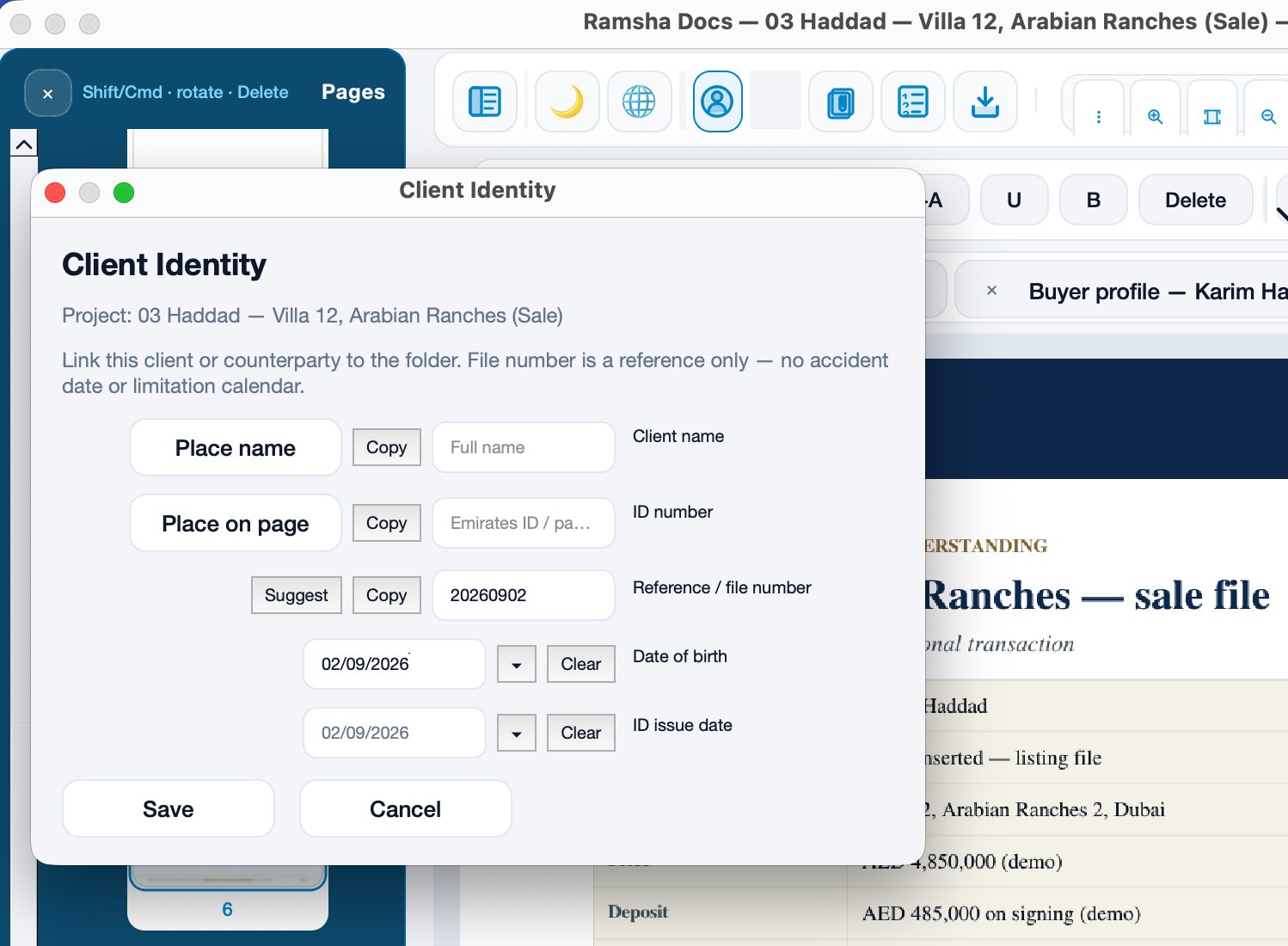
Save the full name and ID number on the folder. Place the name or number onto the page when the form needs it.
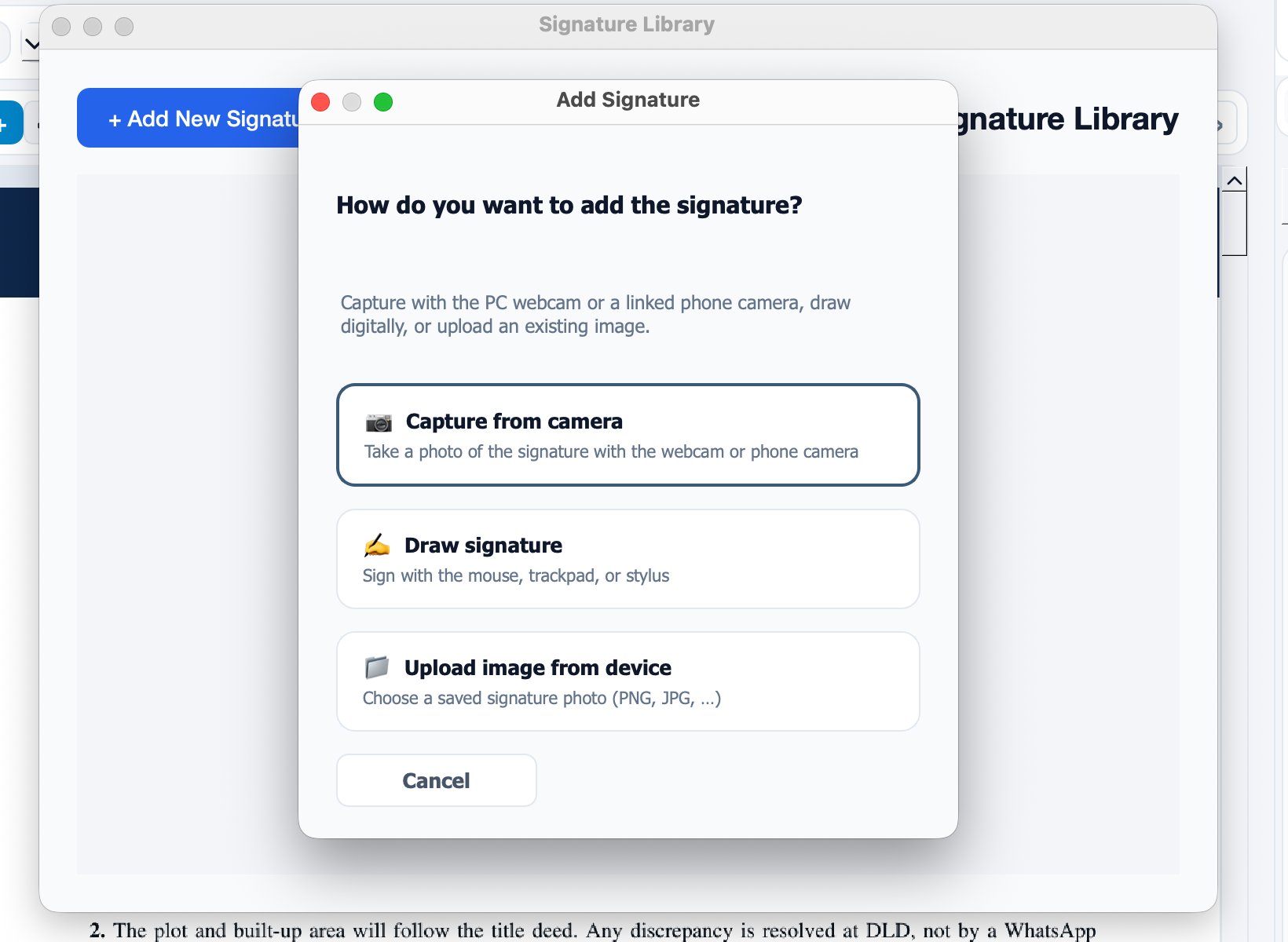
Photograph it with the camera, draw it, or upload an image. Then place it on the page that needs the sign-off.
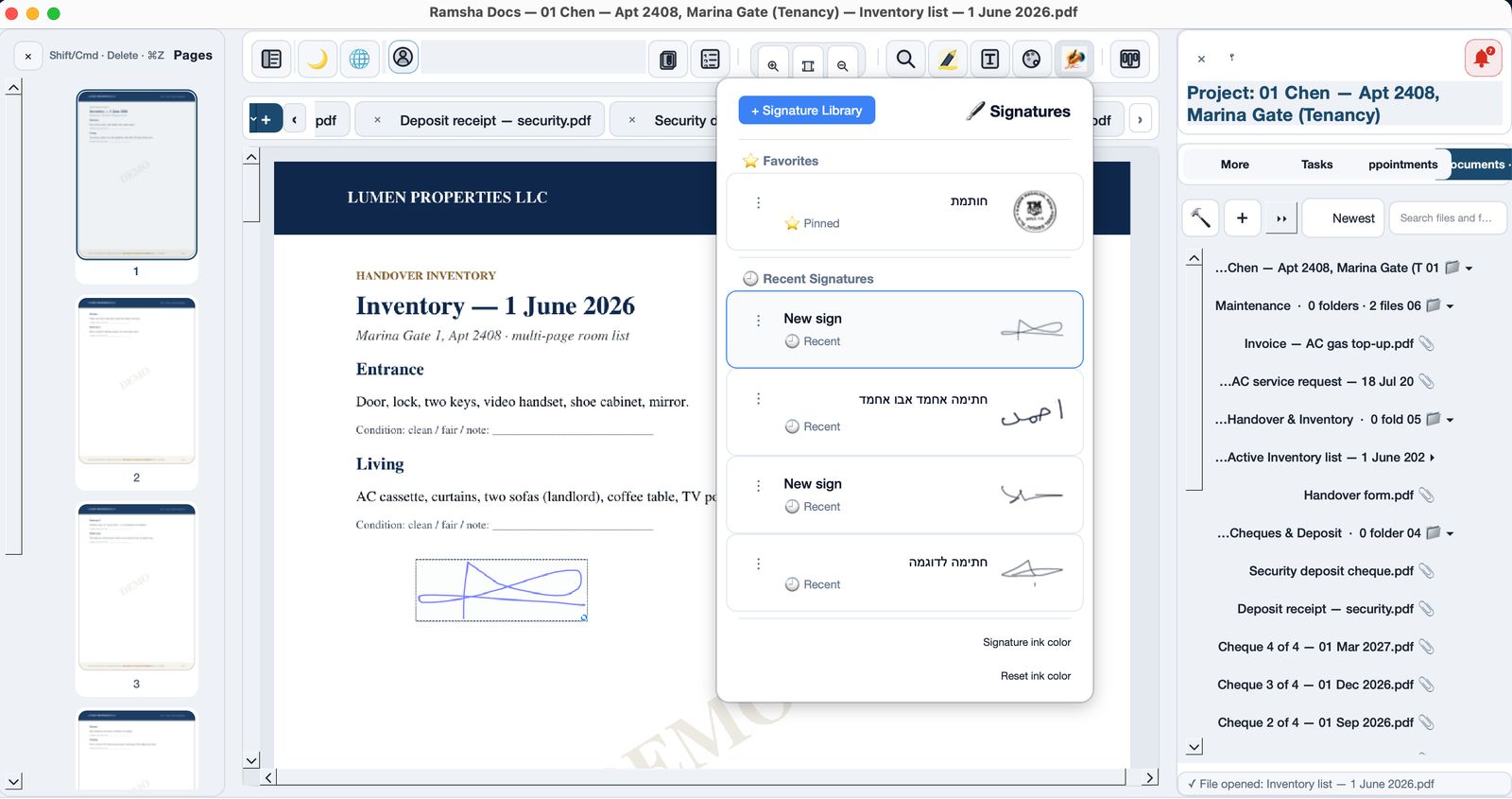
Reuse the office stamp and recent signs. Pin the one the team uses every day.
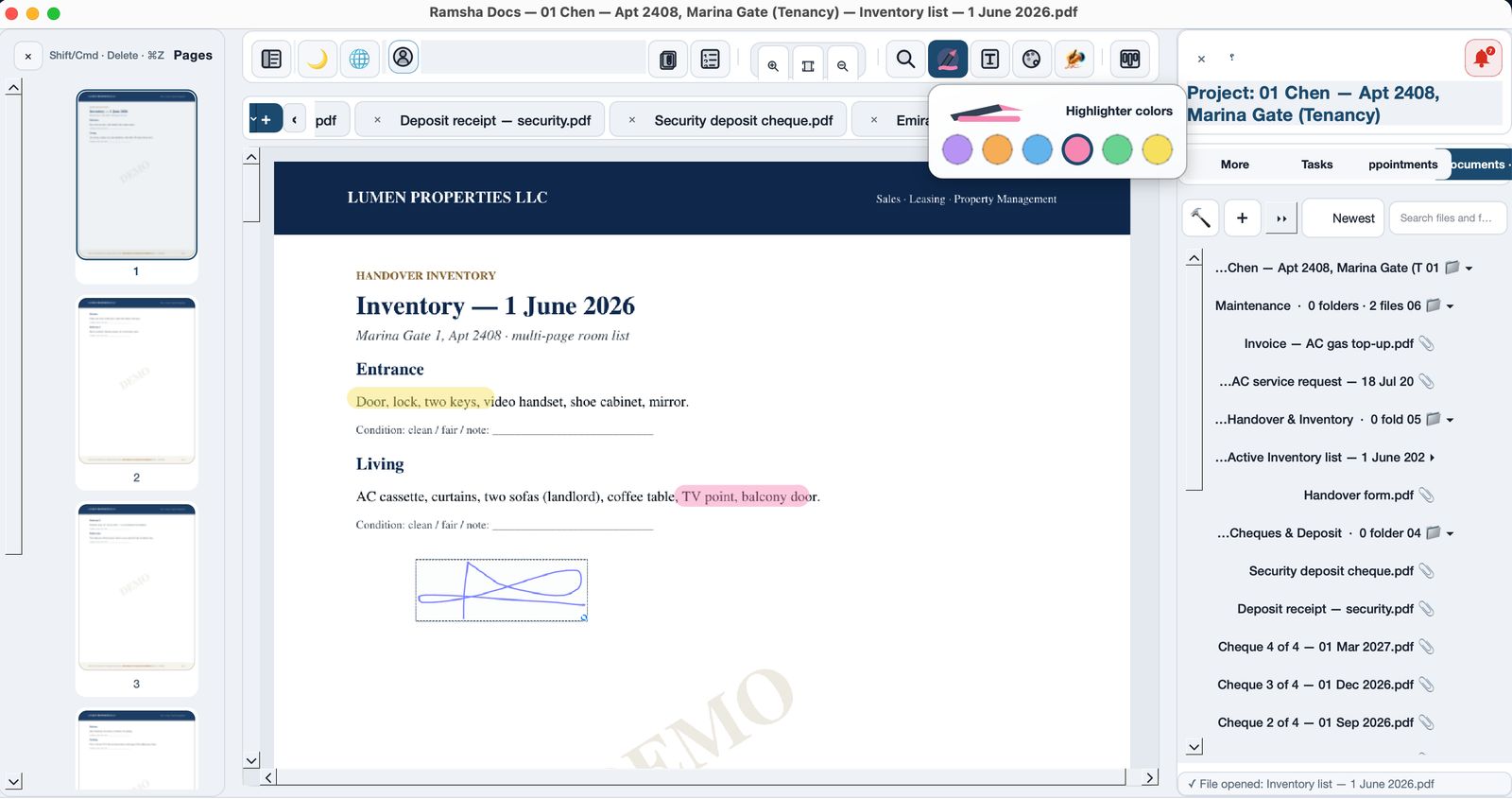
Highlight a clause in color. The mark stays on the file, inside the case.
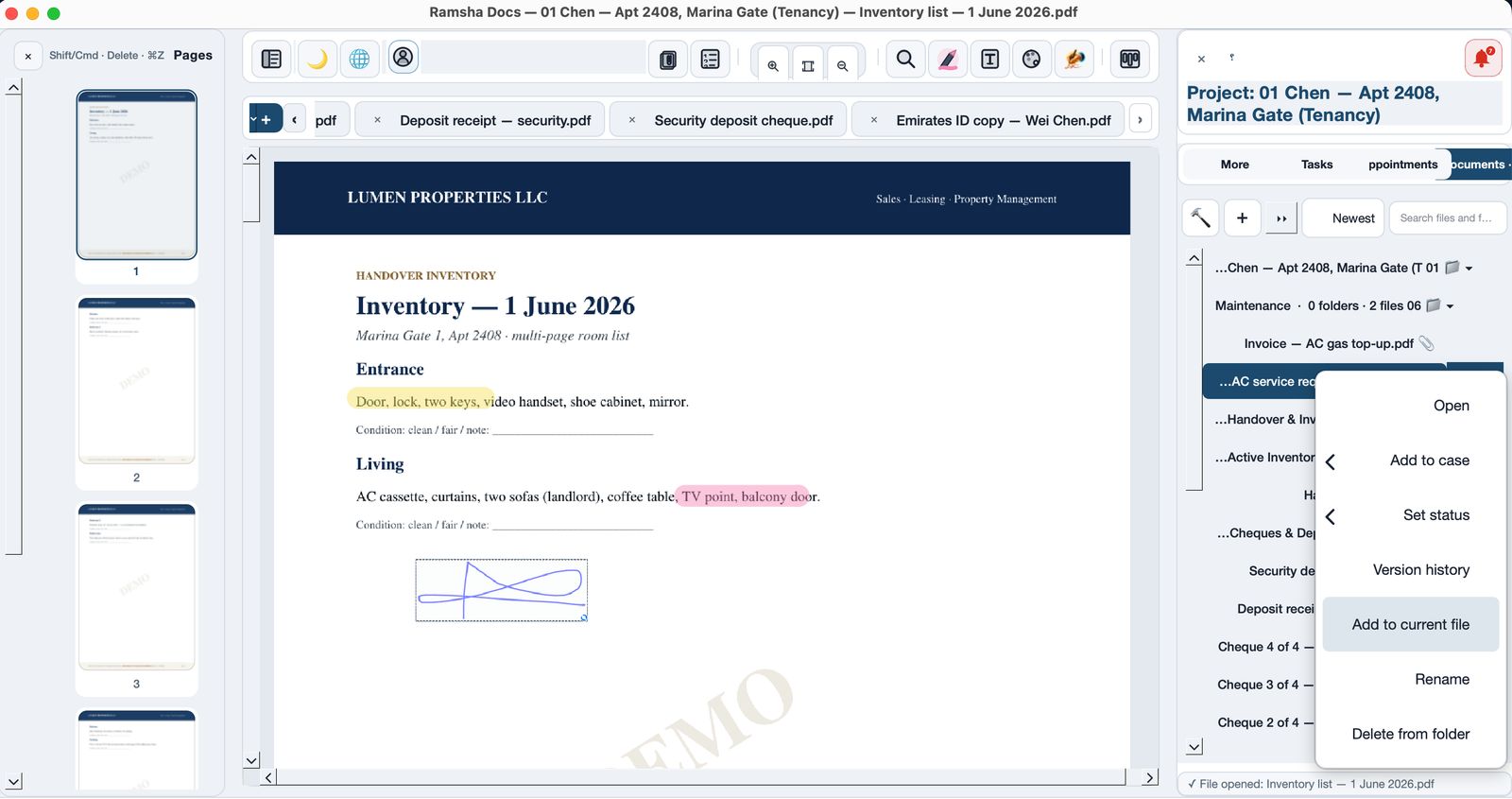
Right-click a cheque or annex and add it to the document you already have open.
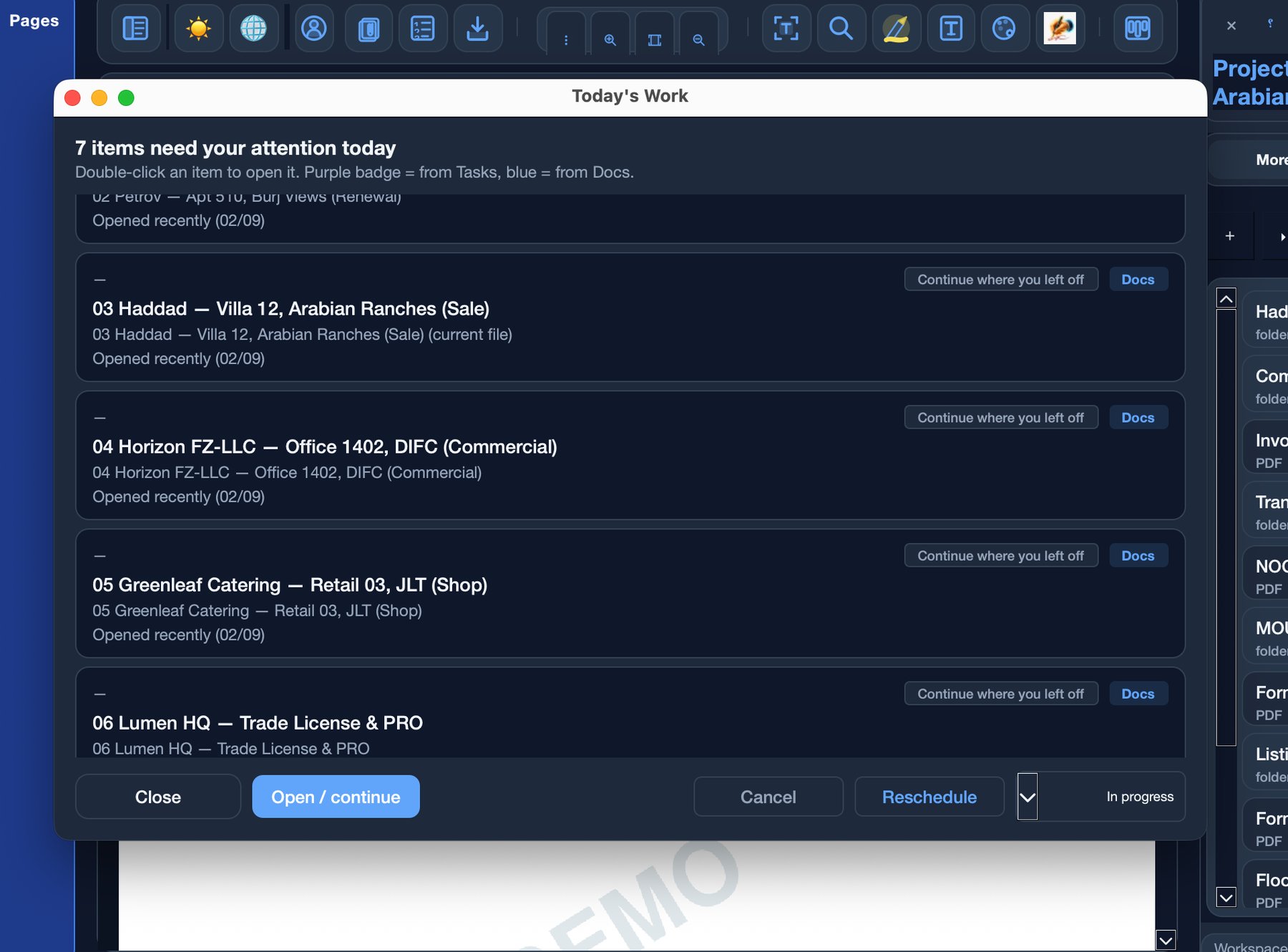
See the cases that need attention today. Continue where you left off — a contract, a renewal, or a file you opened this morning.
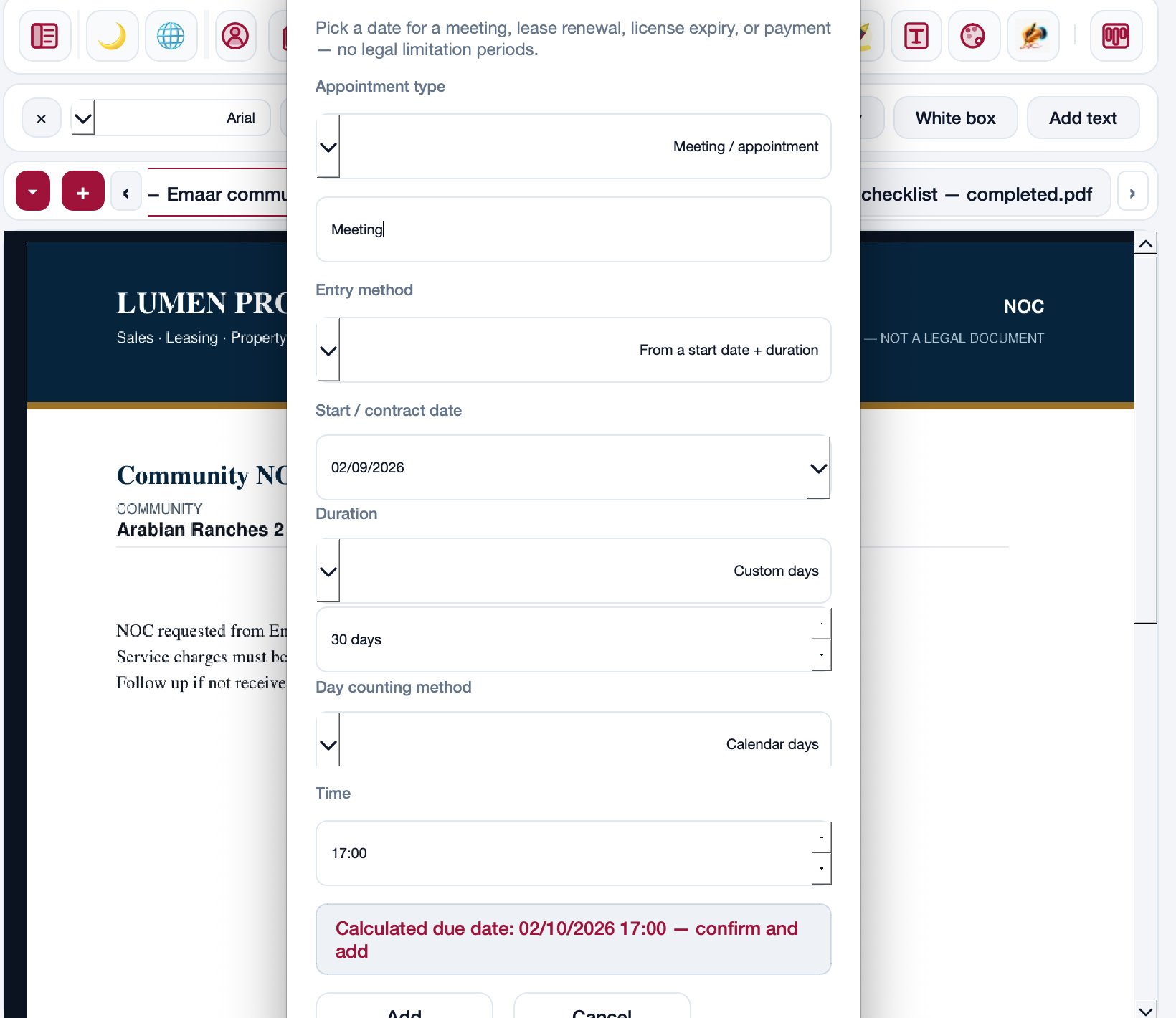
Set a meeting, lease end, license expiry, or payment. Docs calculates the due date from the start date and duration.
macOS · Windows
Desktop software for Mac and Windows. Client files, contracts, and signing live here — on the computer, not on the phone.
Download for Mac & WindowsNow on iPhone and Android
Ramsha Tasks is the companion to Ramsha Docs. After you set dates on the computer, they appear on iPhone and Android — same account. Files stay on the computer.
Starter is a free tool on your computer: no card, no trial clock. Professional is optional when you want extra devices or higher limits.
106 AED (~$29) / month
The amount you see is what we charge every month — not a first-month trap, and not $59 after you add a card. New subscribers keep this price. List prices for new customers may change later; we do not change your charge without telling you first.
Full document tools on one device, for a solo office.
217 AED (~$59) / month
The amount you see is what we charge every month — not a first-month trap, and not $59 after you add a card. New subscribers keep this price. List prices for new customers may change later; we do not change your charge without telling you first.
For multi-device work without limits — no hammer, no lawyer-only tools.
Have a feature request or a change in mind? Write to us